
We cut the connection on purpose four times with NordVPN running on a Windows 11 laptop in Sydney, twice with the kill switch on and twice with it off, and logged what the outside world could see about twice a second. Here is what happened, what we didn’t test, and how to run the same check on your own VPN in about five minutes.
Short answer
| Question | What we found (15 October 2026) |
|---|---|
| Did our real IP leak when the connection dropped? | No, in all four drops, with the kill switch on and off |
| How long was the gap? | About 5 to 7 seconds for a server switch, about 23 to 24 seconds for a 5-second Wi-Fi drop |
| So is a kill switch pointless? | No. We tested short drops only. A long outage, an app crash or a tunnel that doesn’t come back are the cases it exists for, and we didn’t simulate those |
| Is it on by default? | Often not. On Windows we found it off in Surfshark and Hotspot Shield after install, and off in NordVPN on our test laptop |
How we tested
The setup was deliberately ordinary: NordVPN’s Windows app (version 8.13.1) on a Windows 11 laptop, on a home Telstra Wi-Fi connection in Sydney, just after midnight on 15 October 2026. A browser tab asked a public “what is my IP” service for our address roughly twice a second, with a 1.2-second timeout, and logged every answer. Any address that showed up was looked up to see who owned it. If our real home address had appeared even once, it would have shown up in the log as a Telstra address.
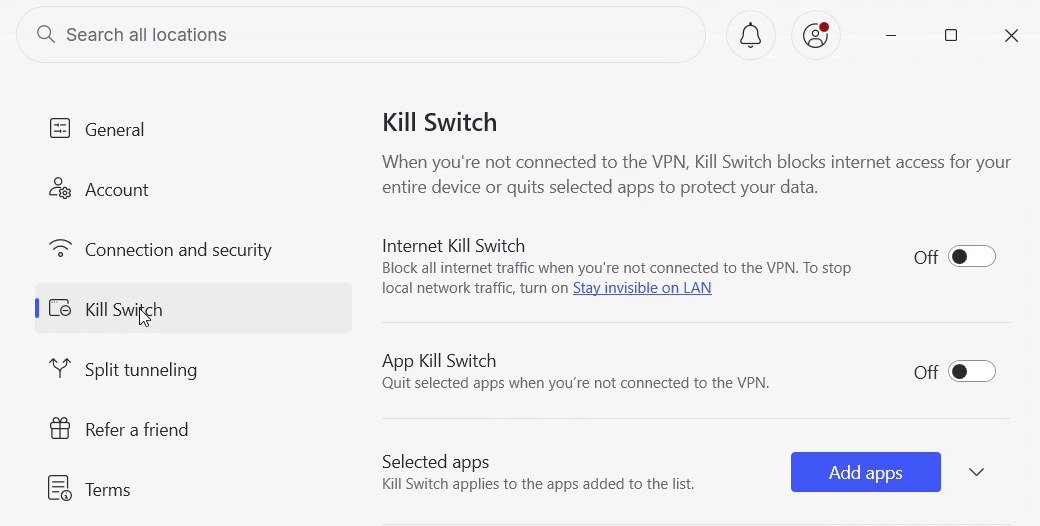
We ran two kinds of drop. A server switch, where the app hops from one VPN server to another (which briefly tears the tunnel down), and a real Wi-Fi drop, where the laptop’s Wi-Fi was switched off for about five seconds and back on. Each was run with NordVPN’s Internet Kill Switch on and off.
The results, drop by drop
| Drop | Kill switch | What the log showed | Real IP seen? |
|---|---|---|---|
| Server switch, London to Sydney | Off | About 5.5 seconds of gaps, then the new Sydney VPN address | No |
| Server switch, Sydney to London | On | About 7 seconds, 4 failed requests, then the new London VPN address | No |
| Wi-Fi off for about 5 seconds | On | About 24 seconds of failed requests (17), then the same London VPN address | No |
| Wi-Fi off for about 5 seconds | Off | About 23 seconds of failed requests, one VPN answer in between, then the same London VPN address | No |
One run was thrown out: the first Wi-Fi drop with the kill switch on produced 61 seconds with no log entries at all, because the browser had throttled the background tab. We moved the monitor so it couldn’t be throttled and ran it again. That re-run is the one in the table.
The interesting part is the gap. A five-second Wi-Fi blip turned into roughly 23 seconds without a working connection, because the laptop has to rejoin Wi-Fi and the VPN then has to rebuild the tunnel. During that time requests simply failed. Nothing went out on our real address, with or without the kill switch.
What that does and doesn’t prove
It shows that, on this app and this laptop, short drops failed closed by themselves: traffic stopped rather than quietly falling back to the normal connection. That matches how the app is meant to behave while it’s reconnecting.
It doesn’t show that a kill switch is unnecessary. The cases a kill switch is built for are the ones we didn’t create: the internet going down for minutes, the VPN app crashing or being closed, or the tunnel failing to come back at all. In those cases, without a kill switch, your device can carry on over your normal connection, and nothing on screen will tell you. We also tested one provider on one operating system, so don’t read these four rows as a result for every VPN.
If you want the background on how kill switches work and the two common types, our kill switch explainer covers that.
Kill switches are often off until you turn them on
Across the apps we’ve installed for our hands-on tests this year, the setting was frequently off. On Windows, Surfshark’s kill switch was off after install in October 2026, and so was Hotspot Shield’s. NordVPN’s Internet Kill Switch was off on our test laptop when we started. In hide.me, the equivalent setting is called IP Leak Protection, and it was on when we checked. Proton VPN’s free plan showed its kill switch on in Standard mode.
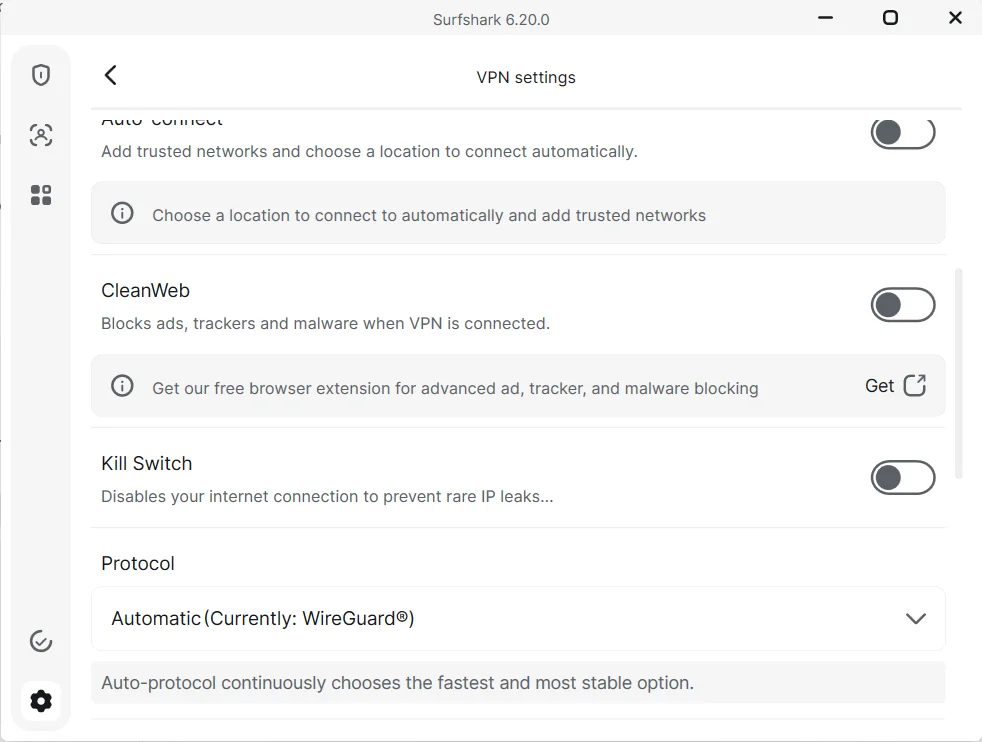
So the first thing to do with any new VPN app is open its settings and look. The full results for each provider are in our Surfshark, Hotspot Shield and NordVPN reviews.
How to test your own kill switch in five minutes
- Turn the kill switch on in your VPN app’s settings, then connect to a server.
- Open our IP leak test and note the address it shows. It should belong to your VPN, not your internet provider.
- Switch your Wi-Fi off for about five seconds, then back on. On a laptop, use the Wi-Fi toggle; on a desktop, unplug the network cable briefly.
- While the VPN is reconnecting, refresh the leak test a few times. You want it to fail to load, not to show your provider’s address.
- Once the VPN is back, refresh again. It should show a VPN address.
If your provider’s own address appears at step 4, the kill switch isn’t doing its job on your setup, or it isn’t on. If the VPN never reconnects, that’s the situation a kill switch is for, and with it on you should have no internet at all until you reconnect or turn it off. Our guide to a VPN that keeps disconnecting covers the usual causes.
App-level or system-level?
Some apps offer two versions. A system-level (sometimes called internet) kill switch blocks all traffic when the VPN drops. An app-level one closes or blocks only the apps you pick. NordVPN offers both. The system-level version is the simpler choice, because it doesn’t depend on you choosing the right apps in advance.
Bottom line
In our test, short drops didn’t expose our real address, even with the kill switch off. That’s reassuring, but the kill switch is for the drops that don’t fix themselves, and in several apps we’ve tested it isn’t on until you turn it on. Check the setting, then run the five-minute test above once.