
Table of Contents
- How to choose a vpn without reading full reviews
- What the HidVPN filter tool does
- The things you can filter by
- A walkthrough: finding a VPN for streaming on a Fire TV Stick
- How to use the filters without eliminating every result
- What a VPN can and cannot protect you from
- Next steps: compare the right VPN for your situation
- Key Takeaways
- Frequently Asked Questions
How to choose a vpn without reading full reviews
If you’re torrenting, protecting a work laptop, or trying to watch UK Netflix while abroad, you don’t need the same VPN. That is the practical reason how to choose a vpn is harder than it sounds: generic “best VPN” lists often assume every reader has identical priorities.
Watch: 17 VPNs, 1 Filter Tool: Find Yours in Seconds (HidVPN Short)
A VPN, or Virtual Private Network, routes internet traffic through an encrypted connection and can hide your normal IP address from websites and your internet service provider (ISP). It doesn’t make you completely anonymous. Accounts, cookies, browser fingerprints, payment records, and the VPN company itself can still connect activity to you.
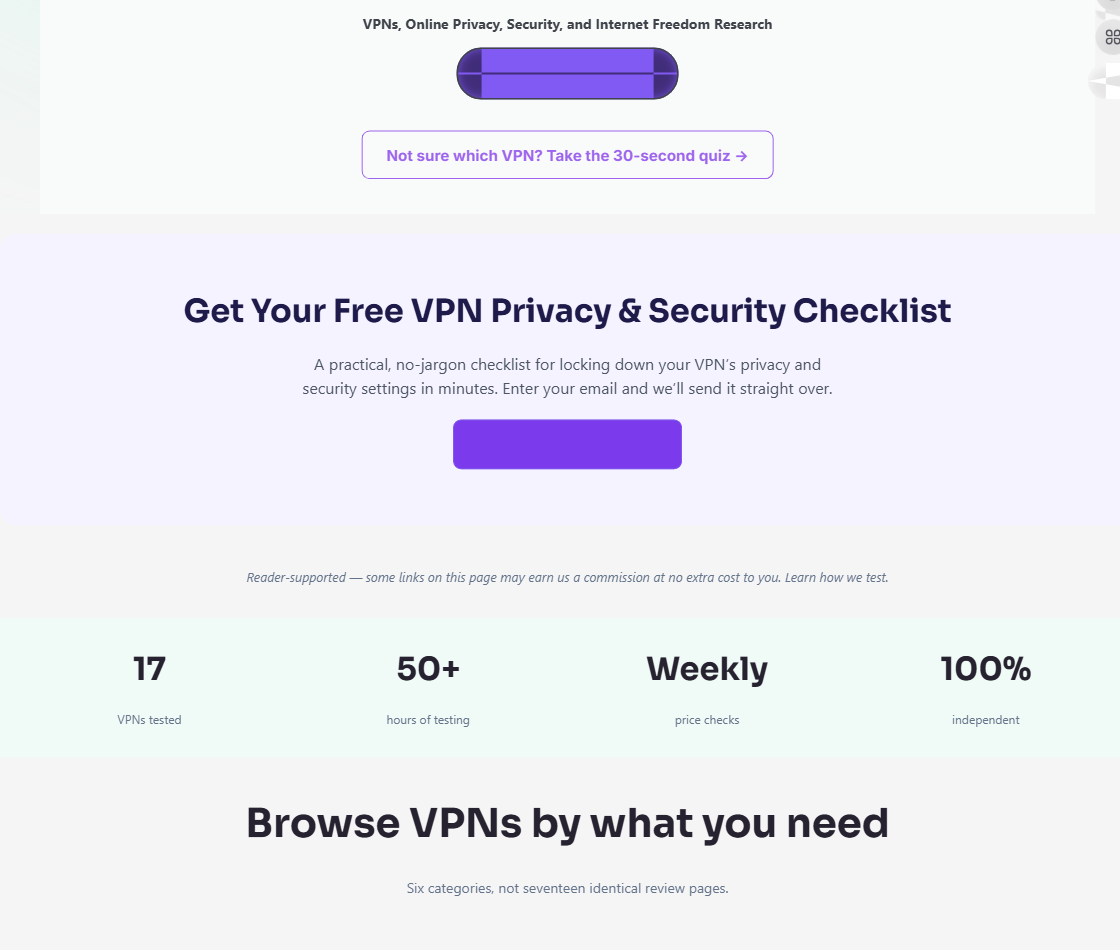
HidVPN’s homepage filter is built for this exact decision. It covers all 17 VPN providers reviewed on the site, updates results instantly, and needs no page reload, account, or email. In this walkthrough, you’ll learn how to narrow providers by your real requirements rather than choosing a name from a generic list. For plain-English background, compare the Electronic Frontier Foundation guidance with CISA cyber security resources. Based on our research, the best first step is identifying what you need the connection to do.
What the HidVPN filter tool does
The HidVPN filter is a live comparison tool over the site’s reviewed providers. It isn’t a checkout flow, a full review page, or an engine that declares one provider best for everyone. Instead, it lets you select matching criteria and inspect the smaller group that remains.
- Choose a filter, such as Use Cases or OS.
- Watch the provider cards narrow immediately, without reloading the page.
- Open a relevant review and verify the details before subscribing.
This differs from the simpler four-step guided quiz at Find Your VPN. The quiz suits someone who wants guided questions; the homepage filter suits you when you already know that, for example, Fire TV compatibility or a particular refund window matters.
Filter labels show available matching criteria. They do not, by themselves, prove a provider’s speed, streaming success, logging practices, or implementation quality. We recommend treating each surviving card as a shortlist and checking current policies, ownership information, independent audits, and security news before paying. The Federal Trade Commission privacy guidance is a useful reminder that privacy claims deserve evidence, not just marketing language.
The things you can filter by
The tool groups 12 filter categories around six everyday decisions: what you’re doing online, which device you use, technical preferences, payment, privacy features, and service details. You don’t need to understand every label to use it effectively. Most people can get a useful shortlist with two or three selections.
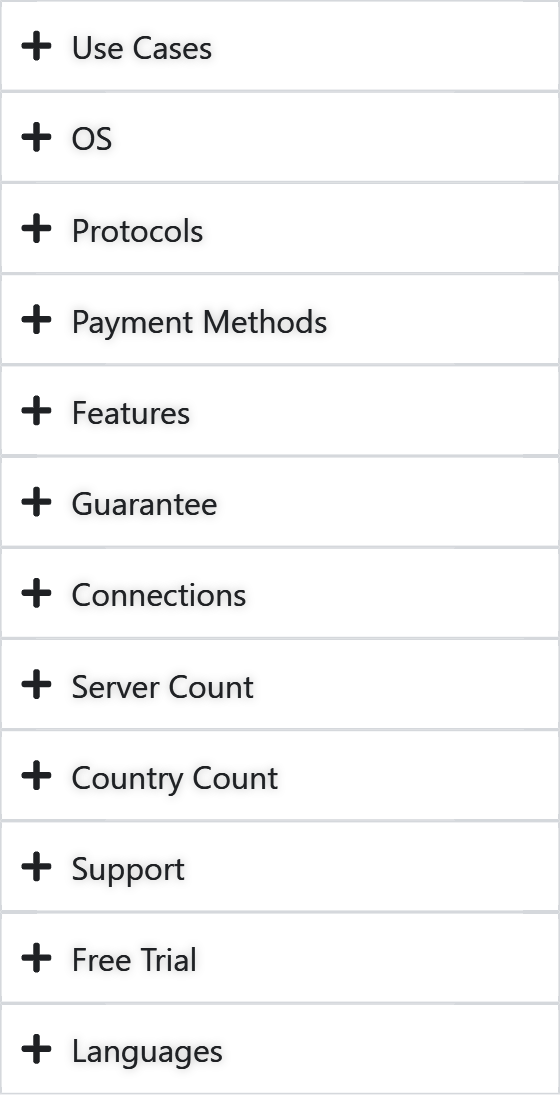
The categories are deliberately practical. A traveler may care about Fire TV and streaming; a business user may prioritize Windows, support, and simultaneous connections; someone living with internet censorship may begin with bypass censorship and then examine protocols and privacy protections.
- Purpose: Use Cases
- Device: OS
- Technical choice: Protocols
- Payment: Payment Methods
- Privacy and extras: Features
- Service details: Guarantee, Connections, Server Count, Country Count, Support, Free Trial, and Languages
We analyzed the interface labels rather than assuming that a large server network or a long feature list automatically means a better fit. The value comes from matching the labels to your situation, then reading the evidence behind them.
Start with your purpose and device
Use Cases includes anonymity/privacy, best free VPN, business, bypass censorship, gaming, streaming, and torrenting. Select the reason that best describes the job. Internet censorship, geographic restrictions, streaming services, public Wi-Fi, travel safety, and data security on unfamiliar networks can all lead to different priorities.
Next, use OS to select Android, Apple TV, browser extension, Chromebook, Fire TV, iOS, Linux, macOS, router, or Windows. This matters more than a broad provider reputation. A traveler carrying a Fire TV Stick abroad needs television compatibility; a household with phones, laptops, and a smart TV needs broad device coverage; a Linux user needs a suitable desktop app or configuration rather than a mobile-only service.
Try this sequence:
- Select one relevant Use Cases label.
- Add the operating system or hardware you plan to use.
- Open the remaining reviews to confirm installation steps and current compatibility.
For readers researching how to choose a vpn, this purpose-first approach prevents a common mistake: filtering for impressive technical specifications before confirming that the service works on the device in your hand.
Choose technical, payment, and privacy preferences
Protocols includes WireGuard, OpenVPN, IKEv2, Lightway, and nine additional choices shown by the tool. A protocol is the set of rules used to establish the encrypted tunnel. Most readers can leave this filter untouched unless a device, router, network, or specific technical requirement calls for one option.
Payment Methods contains choices, including crypto, gift cards, and PayPal. This is a last-mile filter for a privacy-conscious buyer who prefers not to use a card. Payment privacy doesn’t erase other identifying signals, so review the provider’s account and retention practices as well.
Features contains options, including kill switch, no-logs policy, split tunneling, RAM-only servers, and ad blocker, plus more. Related terms in provider reviews may include zero-logging policy, open-source apps, user-friendly apps, a privacy-friendly jurisdiction, network encryption, and broader privacy protections.
Don’t treat a label as proof. Check the published logging policy, independent audit reports, ownership details, app documentation, and up-to-date security news. The FTC’s guidance is especially useful when a company makes broad privacy claims.
Compare the practical details that affect everyday use
The remaining categories cover details that often decide whether a service is workable after purchase: Guarantee refund window, Connections, Server Count, Country Count, Support, Free Trial, and Languages. Connections refers to simultaneous connections, which matters if your household uses phones, laptops, televisions, and a router at the same time.
Server count and country count are starting points, not performance guarantees. A local provider and a global VPN provider may serve different destinations; congestion, the distance to a server, your home network, and the destination country all affect suitability. A larger advertised network doesn’t automatically deliver high internet speeds for your particular route.
Before choosing a finalist, use this checklist:
- Confirm support for every required device.
- Read the logging policy and investigate jurisdiction.
- Check support languages and contact methods.
- Inspect the refund window and conditions.
- Compare the relevant HidVPN review, including current compatibility and security information.
You may encounter names such as ExpressVPN, NordVPN, Surfshark, Proton VPN, and Mullvad in the results or related reviews. Their presence is not a ranking or a claim that any one provider has a particular feature, price, or result. The right comparison depends on your destination, devices, and non-negotiable requirements.
A walkthrough: finding a VPN for streaming on a Fire TV Stick
Suppose you want to watch streaming services on a Fire TV Stick while traveling. This example shows how to choose a vpn without naming a winner or assuming that a filter guarantees access. Start with all reviewed providers visible, then narrow gradually.
- Choose Use Cases > Streaming. The result set should shrink to providers tagged for that use case.
- Choose OS > Fire TV. This removes providers whose listed compatibility doesn’t match your device requirement.
- Choose Features > kill switch. In plain English, a kill switch can stop traffic if the encrypted connection drops. The label doesn’t establish how well a particular implementation works.
- Choose Guarantee > 30-day refund window. The remaining list should narrow to a small handful matching the selected requirements.
Now open the matching reviews. Verify current streaming information, Fire TV setup instructions, support options, privacy practices, and simultaneous-connection needs before you sign up. Streaming access can change as services update their geographic restrictions, so don’t treat a past result as a permanent promise.
Continue with HidVPN’s best VPN for streaming and best VPN for Fire TV or Fire Stick pages for context. A worked example is more useful than a fixed recommendation because your travel destination and device combination may be different.
How to use the filters without eliminating every result
Over-filtering is the fastest way to turn a useful shortlist into zero results. Begin with one or two filters, especially Use Cases, because rare or conflicting combinations can exclude every provider even when several would work well enough.
For most readers, use this order:
- Start with your main purpose.
- Add the operating system or device.
- Apply one must-have feature or guarantee.
- Use payment method and language only at the end, unless either is non-negotiable.
If no result remains, clear the last filter and widen the list. Then decide whether the removed criterion was required or merely convenient. A simple three-column plan helps:
| Required | Preferred | Irrelevant |
|---|---|---|
| Fire TV support | Ad blocker | Server count |
| Refund window | PayPal | Extra protocol choices |
This method works for families comparing simultaneous connections, travelers balancing privacy and streaming, and businesses supporting different laptops. If you need a router or self-hosted setup, research VPN protocols, server administration, maintenance, patching, and cyber security risks separately. A consumer app isn’t the same as a DIY VPN setup.
What a VPN can and cannot protect you from
A VPN’s main technical benefit is network encryption between your device and the VPN server. That can reduce the visibility of traffic contents to an ISP or the operator of an untrusted Wi-Fi network. Still, HTTPS, device security, account protection, malware defenses, and careful browsing remain necessary; NIST cyber security guidance provides broader security context.
The service changes the IP address visible to many websites and may help with internet censorship or geographic restrictions. It doesn’t stop identification through an account login, cookies, browser fingerprint, payment record, or app data. The EFF explainer makes the same distinction: a VPN is a privacy tool, not guaranteed anonymity.
Consider an airport Wi-Fi scenario. Use a trusted VPN app and HTTPS, install operating-system updates, enable multifactor authentication, and avoid unknown certificates or apps. These actions address more risks than switching on a VPN alone.
A VPN cannot guarantee anonymity, prevent phishing, secure a compromised device, or defeat every government or law-enforcement request. It also requires you to trust the VPN operator. Privacy claims should be weighed against published policies, audits, ownership, jurisdiction, open-source apps where available, and current security reporting—not slogans.
Next steps: compare the right VPN for your situation
Start by writing one sentence: “I need a VPN for ___ on ___, and I must have ___.” Visit HidVPN, scroll to Compare the Best VPNs of 2026, and use the live filter section on the plain homepage. Select the main use case, add your device, and then apply only the requirements you truly need.
- Record the first shortlist.
- Clear or add one filter at a time so you understand what changes.
- Open the most relevant provider reviews.
- Verify current compatibility, logging terms, jurisdiction, support, refund conditions, and simultaneous connections.
- Check recent provider policies and security news before purchase.
If you don’t know which requirements matter yet, use Find Your VPN, the four-step guided quiz, instead. We recommend rechecking policies, device support, pricing, and refund terms during because availability can change after a comparison is published.
Use the filter to reduce the choice—but let the final review, not a badge or a broad “best” label, decide whether the service fits your situation.
Key Takeaways
- Use the HidVPN filter to match a VPN to your purpose, device, and must-have feature instead of copying a generic recommendation.
- Start with Use Cases, add your operating system, and then apply one or two decisive requirements such as a kill switch or refund window.
- Before subscribing, read the logging policy, jurisdiction, protocol information, support details, refund terms, simultaneous-connection policy, and device compatibility.
- Treat streaming access, high internet speeds, censorship bypass, and privacy protections as points to verify in the current review, not guaranteed outcomes.
- If the results reach zero, clear a preference and widen the comparison; use the four-step guided quiz when you want a simpler starting point.
Frequently Asked Questions
How do I know which VPN to choose?
Start with your actual purpose, such as streaming, torrenting, business use, travel safety, or privacy. Then add your device and one or two non-negotiable requirements in HidVPN’s filter before reading the remaining provider reviews.
What are the drawbacks of using a VPN?
A VPN can reduce the visibility of your traffic on an untrusted network, but it can also reduce connection speed, require trust in another company, and occasionally cause website access or compatibility issues. It doesn’t replace HTTPS, antivirus protection, strong passwords, or multifactor authentication.
Can the FBI see through VPNs?
A VPN can hide your traffic contents from your ISP and conceal your home IP address from many websites, but it doesn’t make you invisible to the VPN provider or every online service. The FBI and other authorities may still use account records, device evidence, payment data, legal requests, or other investigative methods.
How much does a good VPN cost?
A good VPN commonly costs more than a free service because it requires infrastructure, software maintenance, support, and security work. Prices vary by provider, billing term, promotions, and plan, so check the current provider review and refund terms rather than relying on an old price comparison.
Does the filter tool cost anything or require an account?
No. The HidVPN homepage filter is a free comparison feature and doesn’t require an account or email submission. You can apply filters and inspect the matching provider cards without a page reload.
What if no VPN matches all my filters?
Clear the least important filter first and separate your requirements into must-haves and preferences. A combination such as a particular payment method, language, operating system, protocol, and feature may be too narrow even when several providers individually meet most of those needs.
How often is the filter data updated?
Check the relevant HidVPN review and the provider’s current website before purchasing because compatibility, policies, pricing, and availability can change. As of 2026, the filter should be treated as a practical starting point, not a permanent guarantee that every provider detail remains unchanged.
Can I use the filter tool on mobile?
Yes. The comparison interface is designed to work on mobile and desktop, and results update as you select filters. A phone is useful for narrowing options, while a larger screen may make it easier to compare several remaining provider cards and open detailed reviews.