
FastestVPN Review 2026: Lifetime Deal Reality Check
FastestVPN gets attention mostly because of its lifetime deals — pay once, use the VPN forever, at least in theory. The company is based in the Cayman Islands and sells itself on price above everything else. What matters most is whether “lifetime” holds up once you’re using it in 2026.
It’s aimed squarely at budget hunters. You get the core VPN features you’d expect, but there are trade-offs that come standard with any rock-bottom lifetime offer, and it’s worth knowing what those are before you buy.
FastestVPN Highlights at a Glance:
- Extremely Cheap Lifetime Deals: The main pitch is dirt-cheap pricing for years of access, all in one payment.
- Decent Platform Support: Apps cover most of the operating systems people use.
- P2P Allowed: Torrenting works across the network.
- Basic Security Features: A kill switch, standard protocols, and a no-logs claim — nothing fancy, but present.
- Multiple Simultaneous Connections: Enough to cover a small household.
Performance and Speed: You Get What You Pay For
FastestVPN supports OpenVPN and IKEv2, and WireGuard — but performance tends to match the price tag. In our own tests the speed swung a lot: no measurable loss on a local server in October, a 71% drop on the same server in August, and 20 Mbps on a distant US server.
Our Hands-On Test
✓ Hands-on tested in Sydney · latest test 8 October 2026
We’ve tested FastestVPN ourselves twice, on the same Windows 11 laptop in Sydney: first in August 2026, and again on 8 October 2026. The results below are from the latest test, with screenshots. Our first test (August 2026) is further down.
How we tested FastestVPN (latest test)
- Date: 8 October 2026 (first test: August 2026)
- Location: Sydney, Australia (home connection)
- Device: Windows 11 laptop, FastestVPN app v5.0.13, WireGuard protocol
- Servers: Sydney 1 (Australia Streaming) and USA Streaming 1
- Tools: fast.com for speed; SBS On Demand, ABC iview, 9Now, PBS and Pluto TV for streaming
| Test | Result (8 October 2026) |
|---|---|
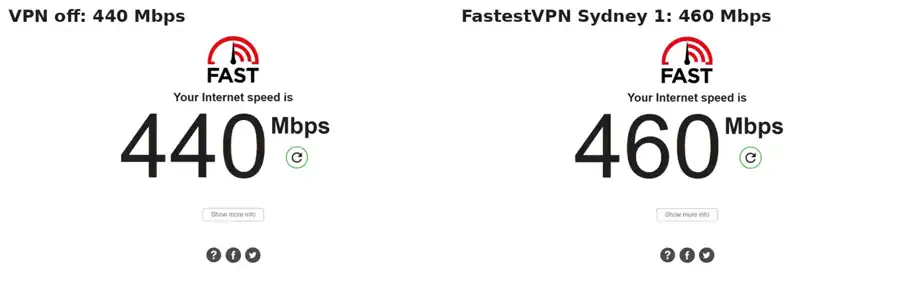
| Download speed, VPN off | 440 Mbps |
| Download speed, Sydney 1 | 460 Mbps (no measurable loss) |
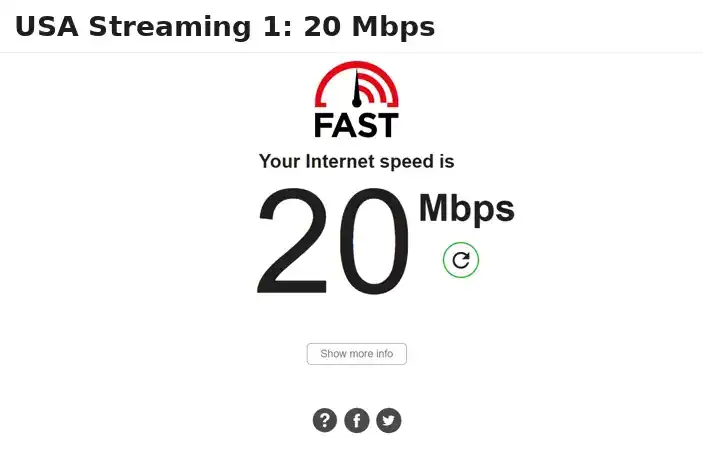
| Download speed, USA Streaming 1 | 20 Mbps (203 ms ping) |
| Australian streaming (Sydney 1) | SBS On Demand, ABC iview and 9Now all played |
| US streaming (USA Streaming 1) | PBS and Pluto TV played (Pluto TV is blocked from Australia without a VPN) |
| Not tested | Netflix, UK servers, BBC iPlayer |
Speed: We ran fast.com twice, about a minute apart: 440 Mbps with the VPN off and 460 Mbps connected to Sydney 1. A gap that small is normal test-to-test variation, so the fair reading is no measurable speed loss on a local server that day. That’s very different from our August test, when the same server cut our speed from 230 to 66 Mbps. On the distant USA Streaming 1 server (203 ms ping) we got 20 Mbps, which is enough for HD video but slow for large downloads. FastestVPN’s speed clearly varies a lot, so don’t rely on any single result, including ours.
Our first test (August 2026)
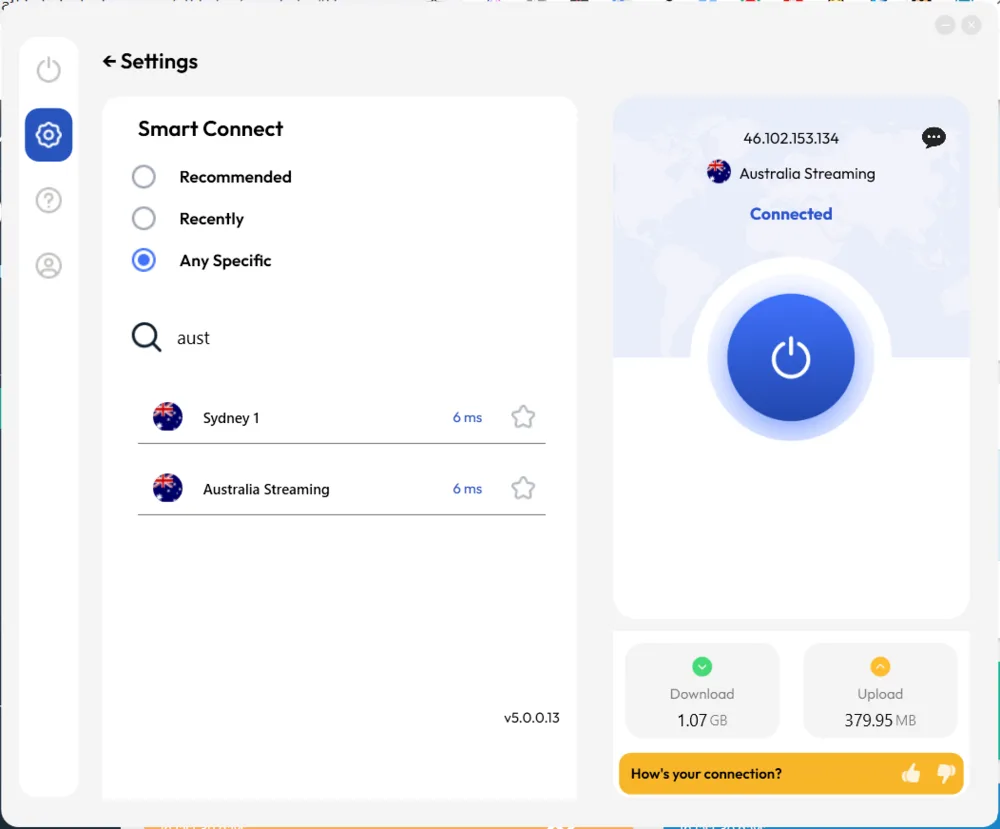
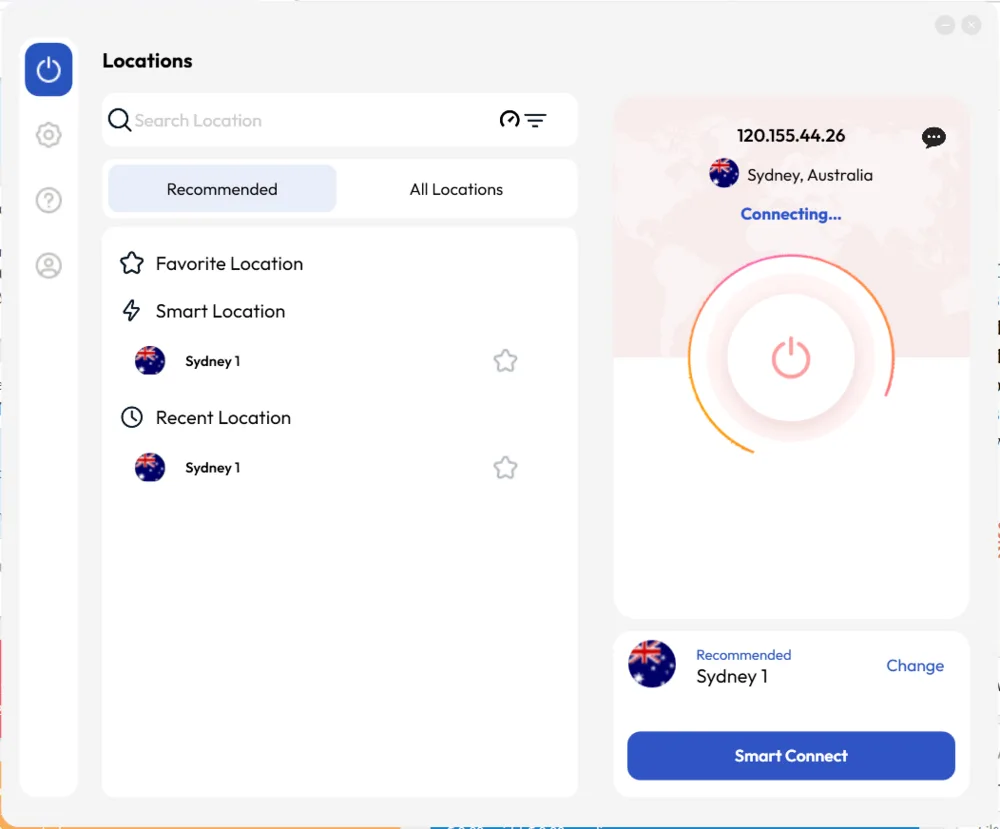
We picked the Sydney 1 server under the app’s “Australia Streaming” category, which showed a 6ms ping before connecting — about as good as a local server gets. The location list is organized by use case (streaming, P2P, etc.), which is a nice touch if you’re not sure which server to pick.
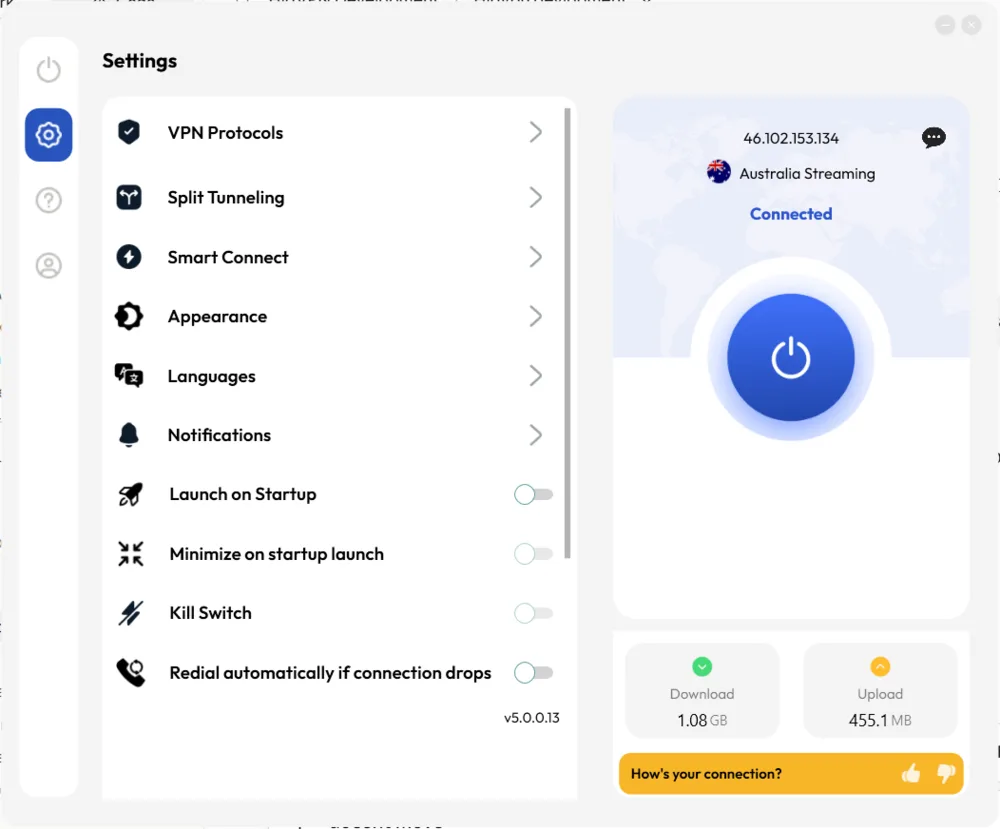
We also checked the kill switch in Settings. It’s there and toggled on by default in our test, which matters more than most spec sheets let on — it’s the setting that stops your traffic if the VPN connection drops.
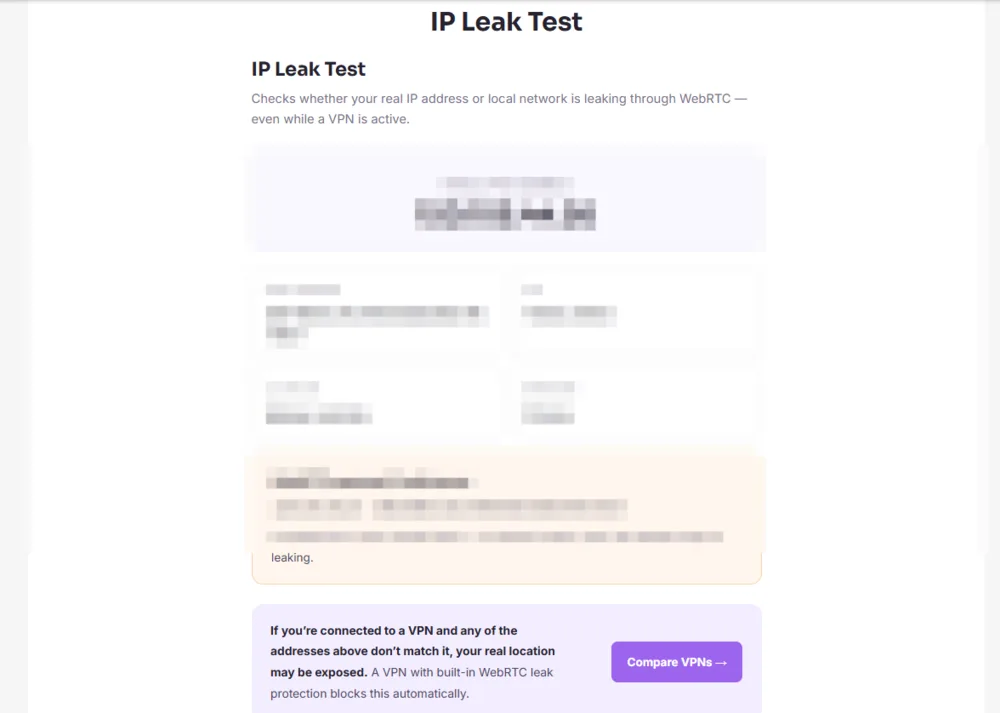
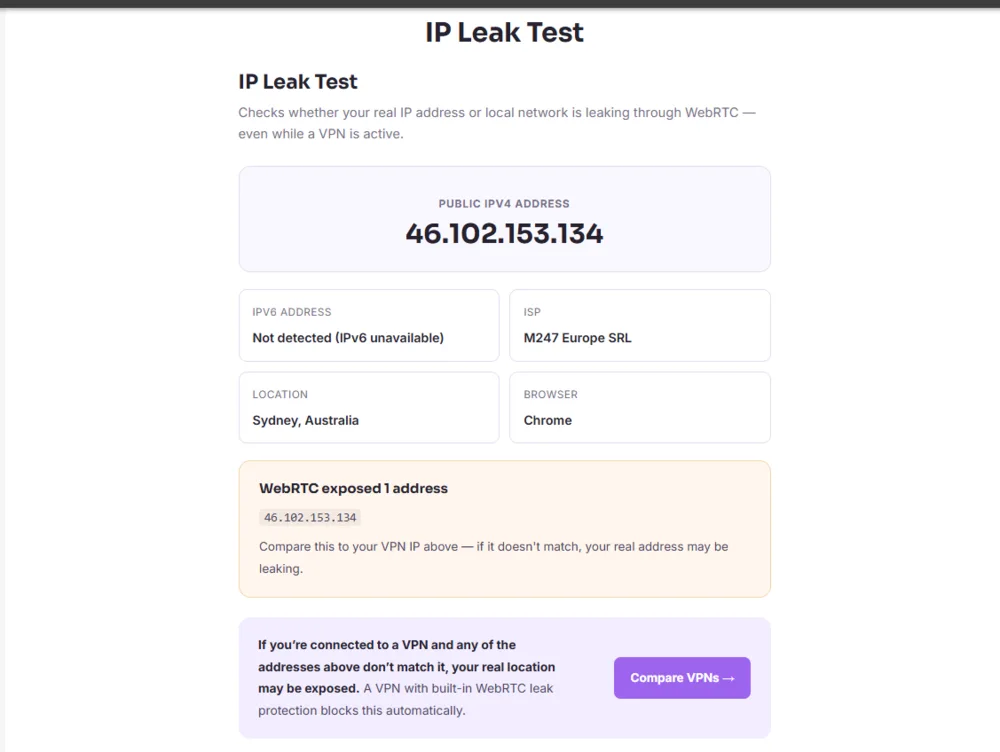
Leak test: Before connecting, we ran an IP leak test to capture our real connection details as a baseline (blurred below for privacy). After connecting to the Sydney 1 server, we ran the same test again. It came back showing only the VPN server’s IP, routed through M247 Europe SRL — no trace of our real IP, ISP, or location, and no DNS or WebRTC leak.
Speed test: Using fast.com, our baseline (no VPN) came back at 230 Mbps. Connected to the Sydney 1 server, we measured 66 Mbps — a drop of about 71%. That’s a heavier hit than the “up to 18% loss” language you’ll sometimes see on premium providers’ marketing pages, though still enough for HD video and browsing on most connections.
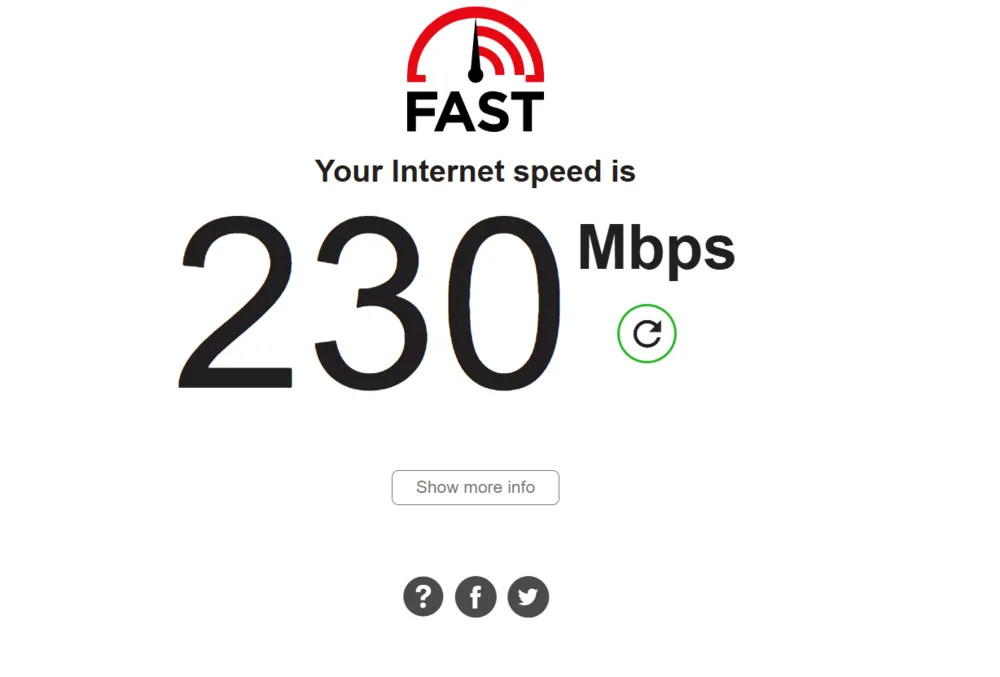
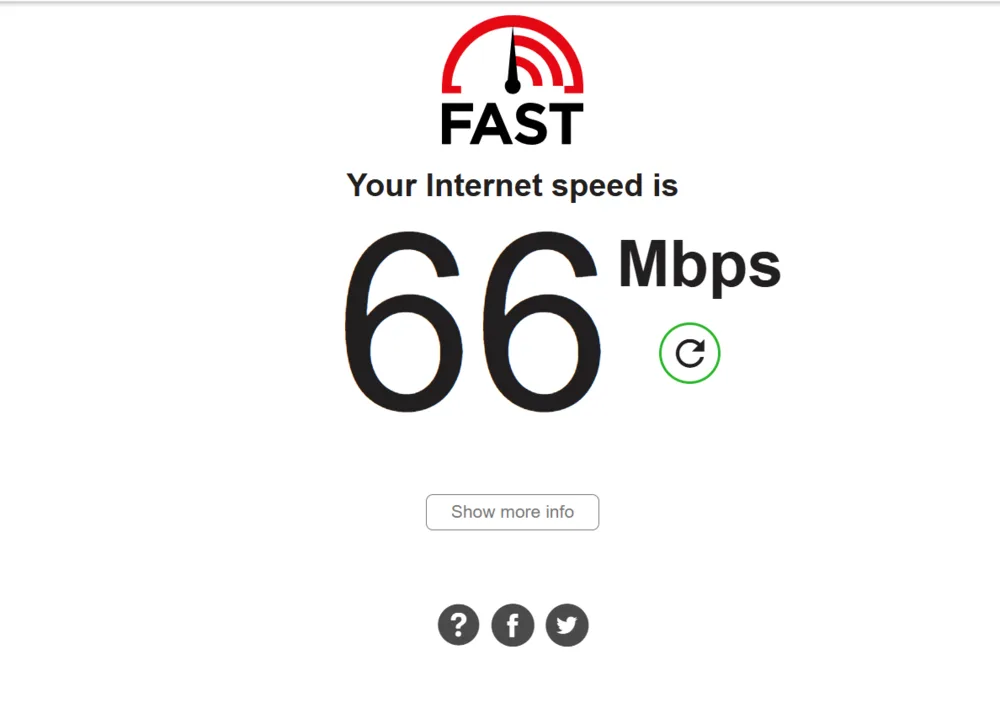
Bottom line from the August test: no leaks, kill switch present and on, and a big speed drop that day. Our October re-test showed no loss on the same server, so expect speeds to vary.
Streaming Test (8 October 2026)
We tested free streaming services only, using our own accounts where a login was needed. We didn’t test Netflix, Disney+ or BBC iPlayer, so we can’t tell you whether FastestVPN works with them.
- Sydney 1 (Australia Streaming): SBS On Demand, ABC iview and 9Now all played normally.
- USA Streaming 1: PBS video and Pluto TV both played.
- Control check: with the VPN off, Pluto TV showed “not available in your location”. Connected to USA Streaming 1, it played, so FastestVPN did get us past a real US geo-block.

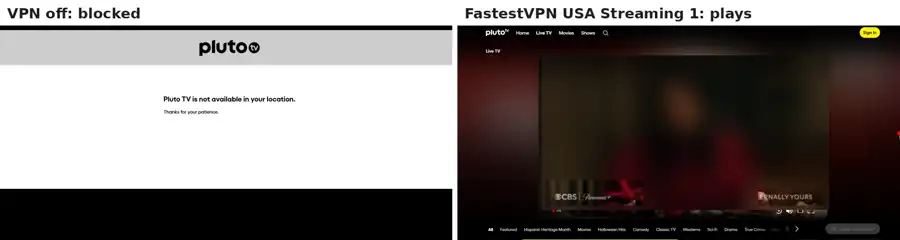

Streaming services set their own rules on VPN use, so check a service’s terms before you rely on a VPN to watch it.
Security & Privacy: Claims vs. Verification
The core security tools are there:
- Encryption: AES-256, the industry standard.
- Protocols: A handful of options, though speed varies between them.
- Kill Switch: Included to prevent leaks.
- No-Logs Policy Claim: FastestVPN says it doesn’t log activity. Like a lot of budget and lifetime-deal providers though, there’s no independent audit backing that up — you’re taking the company at its word, full stop.
- Cayman Islands Jurisdiction: Generally considered a privacy-friendly location.
That audit gap is real, and it’s the kind of thing that separates FastestVPN from providers that have opened their books.
Torrenting and Large Downloads
Torrenting is allowed, though the same speed inconsistency that shows up everywhere else on this service makes big downloads a slog.
Distant servers were slow in our test (20 Mbps on a US server), so large downloads from far-away peers will take a while. If raw speed matters most, a faster provider is the safer choice.
The Lifetime Deal Dilemma
The lifetime price is the whole pitch, and it’s worth thinking through what that means. Running a VPN costs money every month — servers, bandwidth, development, support staff. A one-time payment that’s supposed to cover all of that forever raises an obvious question: how do you keep the lights on without eventually cutting corners somewhere, whether that’s infrastructure or, less comfortably, privacy?
FastestVPN backs every plan with a 31-day money-back guarantee, slightly longer than the 30-day window most competitors offer.
Potential Drawbacks?
- Inconsistent Speeds: No loss on a local server in October 2026, a 71% drop in August 2026, and 20 Mbps on a US server.
- Lack of No-Logs Audit: Requires trusting their policy claim without verification.
- Smaller Server Network.
- Sustainability Concerns: Lifetime deals raise questions about long-term service quality and viability.
Setting Up FastestVPN: What to Expect
You’ll find apps for Windows, macOS, iOS, Android, plus a few router and smart TV platforms. The app itself is stripped down — connect button, server list, a few basic settings — no specialty server menus or deep configuration like you’d get from pricier competitors. That’s not necessarily a knock; setup takes a couple of minutes and you don’t need to know anything technical to get connected.
Pricing really is the whole story here. FastestVPN gets sold as a heavily discounted lifetime deal often enough that it’s become one of the cheapest ways to own a VPN outright, no recurring bill ever. Just go in knowing what a service at this price point can and can’t deliver on performance.
Speed in Everyday Use
On 8 October 2026 we saw no measurable speed loss on the Sydney 1 server (440 Mbps off, 460 Mbps on), but in August the same server cut our speed from 230 to 66 Mbps. On a US server we got 20 Mbps. That’s fine for browsing and HD video, but the swings are large, so if steady speed matters most, a provider with more consistent results is the safer pick.
Privacy Considerations
FastestVPN claims a no-logs policy, but nobody’s independently verified it — no third-party audit exists. So you’re trusting their word, not a documented review from an outside firm. Compare that to ExpressVPN or Proton VPN, both of which have been audited, and the gap becomes obvious. If verified privacy matters more to you than a stated policy, keep that in mind.
Who FastestVPN Is Best For
This one’s for the extremely budget-conscious — people who want basic protection, say encrypting a laptop on public Wi-Fi, and don’t much care about top-tier speeds or audited privacy claims. The lifetime pricing makes sense for occasional, low-stakes use where performance isn’t the point.
It’s a bad fit if you need top speeds, download heavily, or care about verified no-logs claims. PIA and CyberGhost handle all three better, with stronger performance and independently audited policies, and neither costs much more.
How FastestVPN Compares
Stack it against other budget options like PIA and PureVPN, and FastestVPN wins on upfront price but loses on speed, stability, and privacy verification. Against a premium name like NordVPN, the gap widens further — you’re paying a fraction of the cost, but the performance and feature differences are hard to ignore. The full VPN comparison table has the complete breakdown.
FastestVPN FAQ
Does FastestVPN keep logs?
No official audit backs up the no-logs claim, so right now it comes down to trusting FastestVPN’s word rather than a verified third-party check.
Does FastestVPN work in China?
Not reliably — it isn’t one of the VPNs we’d confirm works consistently in China, so don’t plan a trip around it.
Is FastestVPN fast enough for everyday use?
For browsing and HD video, yes. In our latest test (8 October 2026) there was no measurable loss on a Sydney server, but a US server managed 20 Mbps, and our August test showed a 71% drop locally. Expect it to vary.
Does FastestVPN work for streaming?
In our 8 October 2026 test it played SBS On Demand, ABC iview and 9Now on a Sydney server, and PBS and Pluto TV on a US server. We haven’t tested Netflix, Disney+ or BBC iPlayer.
Does FastestVPN allow torrenting?
Yes, P2P is allowed. We haven’t tested torrent speeds ourselves, but a US server managed only 20 Mbps in our test, so downloads from distant peers will be slow.
Does FastestVPN have a kill switch?
Yes — a basic kill switch is built into the apps and blocks traffic if the connection drops.
Is FastestVPN worth it?
Depends what you need. At its heavily discounted lifetime price it’s about as cheap as VPN encryption gets, but the tradeoffs — speed, stability, unverified privacy claims — rule it out for heavy downloading or anyone who treats an audit as non-negotiable.
Pricing and Plans
The headline number — $0.83/month on its 1-year + 1-year-free plan (a one-off $40 lifetime plan is also offered) — is among the lowest of anything in this roundup. That’s the whole appeal for budget-first buyers who want out of recurring subscriptions entirely. One thing worth remembering: a one-time payment gives the company less ongoing incentive to keep pouring money into servers and speed than a subscription model does.
How many devices can I connect with FastestVPN?
FastestVPN allows multiple simultaneous connections per account, roughly in line with other mid-tier providers — enough to cover a small household.
The Verdict: Who Might Consider FastestVPN?
FastestVPN really only makes sense for one type of buyer: someone whose top priority is the lowest possible upfront cost for basic VPN functionality, usually through a lifetime deal, and who’s willing to accept real compromises on performance, reliability and verified privacy in exchange.
Consider FastestVPN ONLY if:
- Your budget is extremely limited, and a lifetime deal is the only option you’re considering.
- Your VPN needs are very basic (e.g., occasional IP masking for non-critical browsing).
- You have low expectations regarding speed.
Everyone else is better off spending a little more on a reputable monthly or annual plan — Surfshark, PIA, and CyberGhost are solid mid-range picks, and NordVPN or ExpressVPN sit at the top end. You’ll get something faster, more reliable, and more trustworthy for not that much extra. Generally speaking, treat lifetime VPN deals with real caution.