
HidVPN earns a commission if you buy through some of the links on this page. It doesn’t change what we write. Our affiliate disclosure.
Table of Contents
Key Takeaways
- Double VPN sends your traffic through two VPN servers instead of one. The website sees only the second server’s address.
- The main gain is at the exit: the second server, and the website after it, don’t see your real IP address. Only the first server does.
- NordVPN calls it Double VPN, Proton VPN calls it Secure Core and Surfshark calls it MultiHop. Proton’s version is on paid plans only.
- The cost is distance. Every extra hop adds travel time, so pages start loading later and calls and games feel it first.
- Most people don’t need it for everyday browsing. It earns its place when one compromised or monitored server is the risk you’re worried about.
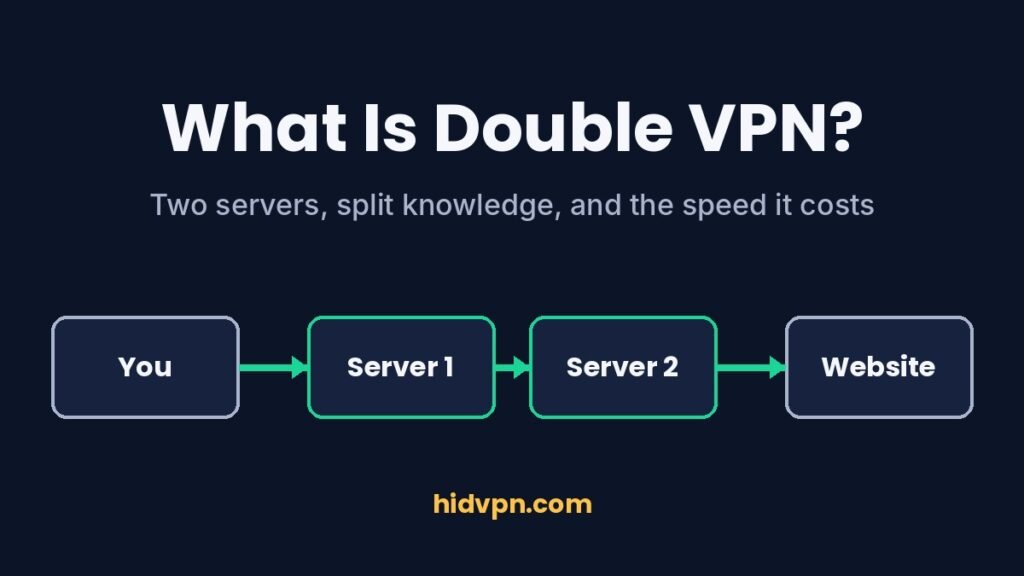
A normal VPN puts one server between you and the internet. Double VPN puts two in a row. That’s the whole feature, and the interesting part is what the second server changes about who can see what.
This guide follows a single request from your device to a website and back, hop by hop. Then it covers what the three big providers call the feature, what the extra hop costs you, and the short list of situations where switching it on actually makes sense.
The route your traffic takes
With a single VPN, your device encrypts a request and sends it to one VPN server. That server decrypts it, forwards it to the website with its own address, and passes the answer back to you through the same tunnel. If you want the full single-hop picture first, our plain-English guide to how a VPN works covers it.
Double VPN adds a second server to that chain:
- Your device encrypts the request for the first server.
- Server 1 (the entry server) receives it. NordVPN describes the first server decrypting your traffic and re-encrypting it before passing it to the second one.
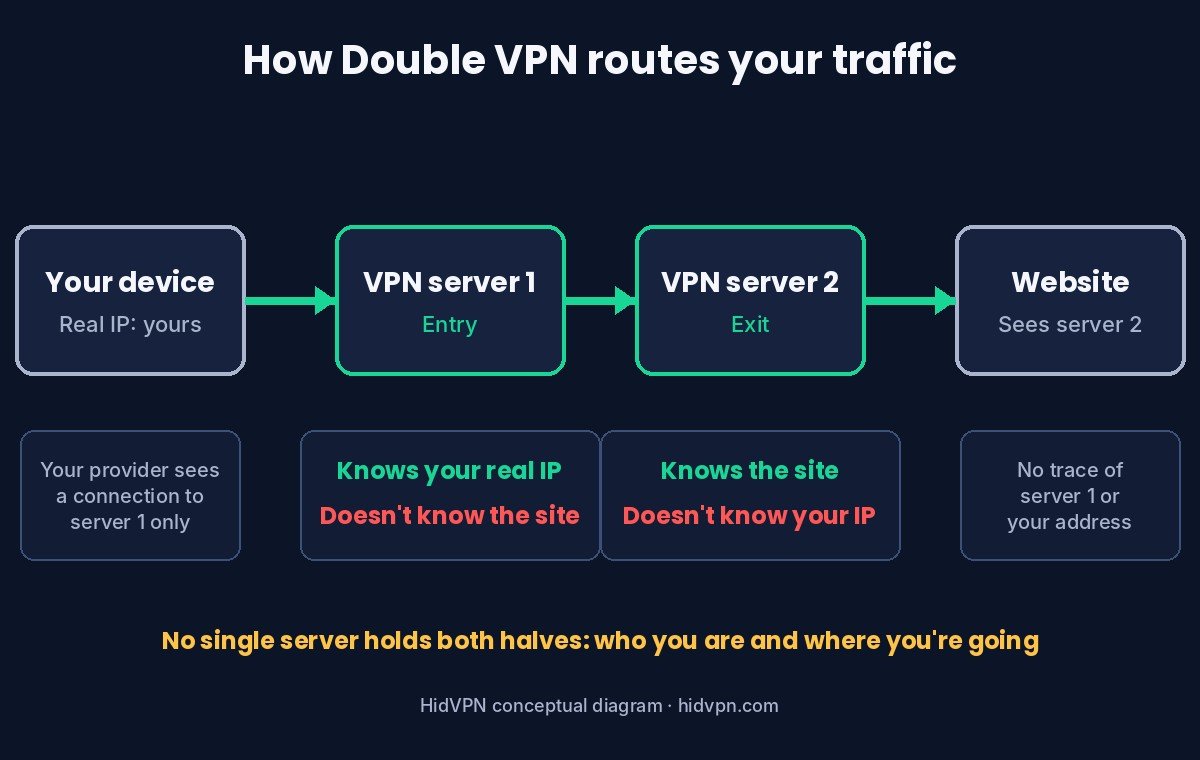
- Server 2 (the exit server) decrypts it and sends it on to the website from its own address.
- The website answers server 2, and the reply travels back the same way: server 2, server 1, your device.
So the website sees one IP address (the number that identifies a connection online), the exit server’s. It can’t see your home address or the first server’s, though it may still recognise the address as a VPN server.
Who knows what at each hop
The value of Double VPN isn’t “twice the encryption” in some abstract sense. It’s that the server your traffic leaves from, the one the website talks to, doesn’t see your real IP address.
| Point on the route | Sees your real IP? | Sees the site you visit? | Can read the page itself? |
|---|---|---|---|
| Your internet provider | Yes (it’s your connection) | No, only that you’re connected to server 1 | No |
| Server 1 (entry) | Yes | It depends on how the provider chains the servers (see below) | No, if the site uses HTTPS |
| Server 2 (exit) | No, it sees server 1 | Yes, the site’s address | Only if the site doesn’t use HTTPS |
| The website | No, it sees server 2 | It’s the site | Yes, it’s sending the page |
Compare that with a single VPN, where one server sees both your real IP and every site you open. You’re trusting that server, and the company running it, not to log or leak the pairing. A no-logs policy is a promise about that trust. Double VPN’s firm gain is at the exit: whoever watches or seizes the exit server alone can’t find your home IP address there. Whether the entry server can see which sites you visit depends on the design. If the app wraps your traffic in two layers on your device, server 1 only sees that it’s going to server 2. If server 1 decrypts your traffic and re-encrypts it for server 2, which is how NordVPN describes its version, server 1 can see the addresses of the sites you visit, though not the pages themselves when they use HTTPS. Your internet provider sees the same as with a single VPN: a connection to one VPN server.
Keep two limits in mind. With NordVPN, Proton and Surfshark, both servers belong to the same provider, so the company controls both ends; the split protects you if one server is seized, hacked or monitored, not if you distrust the provider. And HTTPS (the standard encryption between your browser and any https:// site), not the VPN, is what keeps the content of a page private from the exit server. Almost every site uses it now.
Same idea, three names: NordVPN, Proton and Surfshark
Each provider builds and labels the feature differently. What the official pages say:
| Provider | Name in the app | How the servers are chosen | Details from the provider |
|---|---|---|---|
| NordVPN | Double VPN (a server category) | Pick the Double VPN category, or a specific server pair from the list | Available in the Android, macOS (App Store), iOS, Linux and Windows apps. Not every protocol supports it: NordVPN suggests switching to OpenVPN if the category doesn’t appear |
| Proton VPN | Secure Core | Traffic enters through a Secure Core server in Switzerland, Iceland or Sweden, then exits in the country you choose | On all paid plans. Proton says it owns and runs the Secure Core servers itself, in high-security data centres |
| Surfshark | MultiHop | A pre-selected server pair, or build your own by choosing the entry and exit locations | Windows, macOS, Android, iPhone and Linux, with an active subscription |
Proton’s design is the strictest. Secure Core sends your traffic in through one of three countries chosen for their privacy laws, on servers Proton says it controls end to end. The idea is that even if the exit server in, say, the US is being watched, the trail ends at the Secure Core network rather than at your address. NordVPN and Surfshark give you more freedom over the pair, and Surfshark lets you build your own combination. When we checked Surfshark’s Windows app in Sydney on 23 October 2026, MultiHop had its own tab next to Locations, Static IP and Dedicated IP, so it’s easy to find. We didn’t run a MultiHop speed test that night.
When we tested Proton VPN’s free plan in October, the app picked a Japanese server for us and kept the extra features behind an upgrade. If Secure Core is the reason you’d choose Proton, budget for a paid plan.
What you give up for the second hop
It doesn’t cost extra money: Double VPN is part of NordVPN and Surfshark subscriptions, and Secure Core comes with Proton’s paid plans. The trade is speed, and specifically distance. NordVPN’s own page says Double VPN makes “the overall journey longer” and slows your connection, and it warns that fast-paced games feel it.
Our own speed tests show why distance is the thing to watch. On a single VPN from Sydney, the ping (the delay before anything starts responding, in milliseconds) went from about 6 ms with no VPN to 114 ms through Japan and 148 to 180 ms through Los Angeles, while download speed often held up well. A second server adds another leg to that trip. If both servers are near you, the extra leg is short. From Sydney, a pair in Europe and the US sends every request to Europe and then across the Atlantic before it even heads to the site. Our VPN speed tests on 7 VPNs have the full numbers for single-hop connections.
We haven’t measured a Double VPN connection ourselves, so the two points below are what to expect from the distances involved, based on our single-hop tests:
- Keep the pair close together, and close to you when the app lets you choose. A pair in neighbouring countries costs far less than a pair on different continents.
- Expect calls and games to suffer before downloads do. Large downloads often keep most of their speed; anything that needs a quick response notices the extra delay first.
When it’s worth switching on
Double VPN is a tool for a specific worry: that one VPN server could be compromised, seized or monitored. Situations where that worry is reasonable:
- You’re a journalist, activist or researcher whose contacts or sources would be at risk if one server’s records were exposed.
- You’re connecting through a country where VPN servers are likely to be watched, and you want the server you exit from to be unable to point back to you. Check our country-by-country guide to VPN law before you travel.
For ordinary browsing at home, on café Wi-Fi or at work, a single well-run VPN with a kill switch and modern protocol does the job, and it’s faster. Our guide on whether you need a VPN at all is the better starting point if you’re unsure.
What it won’t do for you
A second hop is easy to oversell. It doesn’t change any of these:
- Accounts you’re logged into. If you’re signed into Google or a shop, they know it’s you, however many servers sit in between.
- Cookies and browser fingerprinting. Sites recognise your browser the same way through one server or two. Our guide on what a VPN does and doesn’t protect covers this.
- Your phone’s GPS location. Apps with location permission still see where you are. Our VPN and location guide shows what a VPN changes about your location and what it doesn’t.
- Malware or phishing. A tunnel doesn’t check what you download or which link you click.
- A leaking browser. If your browser leaks your real address through WebRTC (its video-call feature) or DNS (its address lookups), it leaks with Double VPN too. Run our IP leak test after you connect.
Double VPN is also not Tor. Tor routes through at least three volunteer-run relays operated by different people, which is designed so no single organisation controls the whole path. Double VPN uses two servers usually run by one company. It’s faster than Tor and easier to use, with a different kind of trust.
How to turn it on
- NordVPN: in the app, open the server categories (Specialty servers) and choose Double VPN, or pick a specific pair. If you don’t see it, switch the protocol to OpenVPN in the settings, as NordVPN’s page suggests.
- Proton VPN (paid plans): Proton’s guide says to switch on Secure Core in the app, then choose the exit country. The entry server is in Switzerland, Iceland or Sweden; the app picks it for you, and some versions let you choose it.
- Surfshark: open the MultiHop tab, pick a ready-made pair or create your own connection with the entry and exit you want.
After connecting, check two things. The app’s connection screen should show both the entry and the exit server. Then open our IP leak test: the address it shows should be the exit server’s, not your home connection’s. The test can’t show the first hop, so the app is where you confirm it. Our four quick VPN checks walk through the rest.
Double VPN questions
Is Double VPN twice as secure?
Not twice as anything. It keeps your real IP away from the exit server and the website, so a compromised or monitored exit server can’t trace traffic back to you. It doesn’t help against tracking through accounts, cookies or a leaking browser.
Does Double VPN slow you down?
Yes. The provider that names the feature, NordVPN, says so itself. How much depends on where the two servers are. Close servers cost little; servers on different continents add a lot of delay.
Is Secure Core the same as Double VPN?
It’s Proton VPN’s version of the same idea, with one twist: the first hop runs through Proton-controlled servers in Switzerland, Iceland or Sweden. It’s included on paid plans only.
Can I use Double VPN on an iPhone?
NordVPN lists iOS among the apps that support Double VPN, and Surfshark lists iPhone for MultiHop. Proton’s Secure Core is available in its apps on paid plans.
Should I leave Double VPN on all the time?
For most people, no. Use a single nearby server day to day and switch Double VPN on for the specific sessions where a single compromised server is a real risk.
Is Double VPN the same as using two VPN apps at once?
No. Running two VPN apps on one device usually breaks one or both connections. Double VPN is one app chaining two of its own servers, set up so the hops work together.
Sources
- NordVPN: Double VPN feature page (how traffic is re-encrypted between servers, supported apps, protocol note, speed note; read 29 October 2026).
- Proton VPN: What is Secure Core? (entry countries, paid plans, server ownership; read 29 October 2026).
- Surfshark Support: How to use MultiHop (pre-selected and custom pairs, supported platforms; read 29 October 2026).
- HidVPN hands-on speed tests, August to October 2026, Windows 11 laptop on a Telstra home connection in Sydney (single-hop latency figures quoted above).
See NordVPN’s current plans. Prices change often, so check the current plan before you buy.